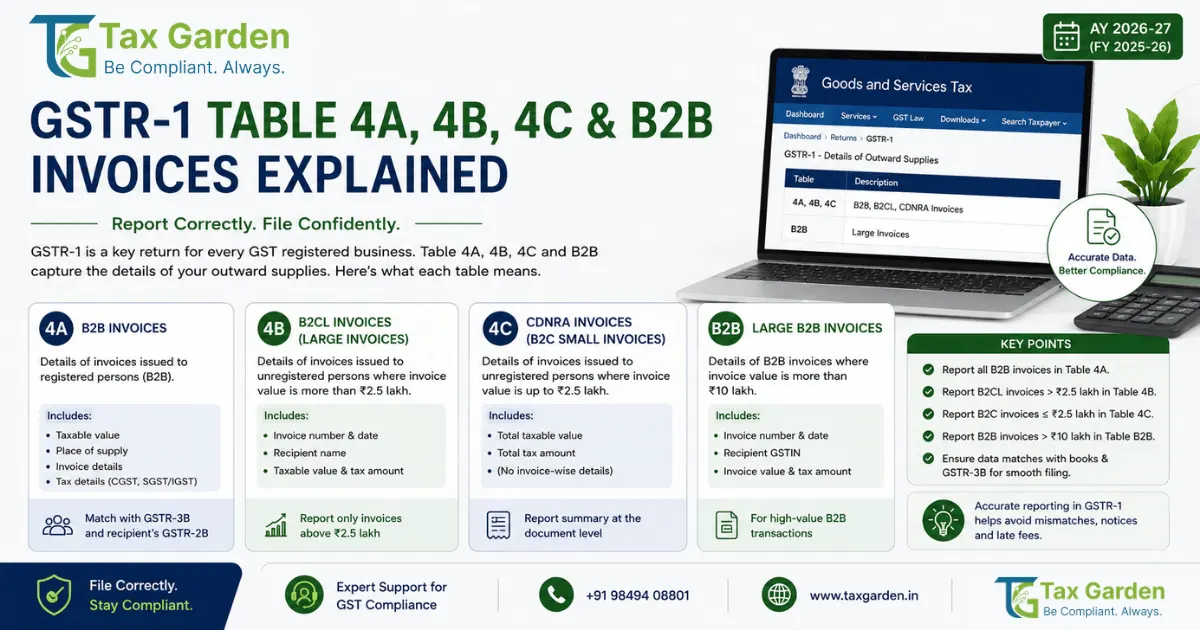
What are GSTR-1 Tables 4A and 4B (and what happened to 4C)? Table 4 of GSTR-1 is where a registered supplier reports invoice-level details of taxable outward supplies made to other registered persons (B2B). Table 4A covers supplies on forward charge and Table 4B covers supplies on which the recipient pays tax under reverse charge (Section 9(3) or 9(4) of the CGST Act). The original form also had Table 4C for B2B supplies through an e-commerce operator collecting TCS under Section 52. After Form GSTR-1 was amended by Notification 26/2022-Central Tax, the GST portal's B2B tile reads "4A, 4B, 6B, 6C - B2B Invoices", there is no separate 4C, and e-commerce supplies are summarised in the new Table 14 (from the January 2024 tax period). Table 4 is filed under Section 37 of the CGST Act and Rule 59 of the CGST Rules.
Table 4 is the foundation of GSTR-1 for any business that sells to other GST-registered entities. The data you enter here shows up in your buyer's GSTR-2B, and under Section 16(2)(aa) of the CGST Act your buyer can take Input Tax Credit (ITC) only on invoices that appear there. If you mark the reverse charge flag wrongly, enter the wrong GSTIN (Goods and Services Tax Identification Number), or pick the wrong place of supply, your buyer's ITC is delayed or mismatched and both of you may face scrutiny.
This guide covers what goes into Tables 4A and 4B, where e-commerce supplies go now, which fields are mandatory, how e-invoice auto-population works, and the mistakes that cause the most trouble.
For a complete overview of GSTR-1 filing requirements, due dates, and late fees, see our GSTR-1 filing guide.
GSTR-1 Table 4A vs 4B vs Old 4C: Quick Comparison
| Feature | Table 4A | Table 4B | E-commerce (old 4C) |
|---|---|---|---|
| Supply type | B2B supply on forward charge | B2B supply attracting reverse charge | B2B supply through an e-commerce operator that collects TCS |
| Who pays the GST? | You (supplier) | Recipient, under reverse charge | You (supplier); the operator only collects TCS under Section 52 |
| Where it is reported now | Table 4A | Table 4B (reverse charge flag "Yes") | Table 4A at invoice level, plus operator-wise summary in Table 14(a) |
| Examples | Goods or services sold to a registered buyer | GTA not opting for forward charge, advocate services, director services | Sales to registered buyers through a marketplace such as Amazon or Flipkart |
| Buyer's ITC | From GSTR-2B, subject to Section 16 | Buyer pays the tax in GSTR-3B Table 3.1(d), then takes ITC in Table 4 | From GSTR-2B, as for Table 4A |
| Common mistake | Reporting a reverse charge supply here | Flagging a forward charge supply as reverse charge | Leaving out the Table 14(a) summary |
Rule of thumb: if the recipient pays the tax under reverse charge, it is Table 4B. Everything else sold to a registered buyer, including marketplace sales, goes in Table 4A. Supplies to SEZ units or developers go in Table 6B and deemed exports in Table 6C, reported in the same portal tile using the SEZ or deemed export checkbox.
Quick Selector: Which GSTR-1 Table Do You Need?
Is the buyer a registered person (has a GSTIN)?
- NO → Not Table 4. Inter-state invoices above Rs 1 lakh go in Table 5 (B2C large); other B2C sales go in Table 7; nil-rated, exempt and non-GST supplies go in Table 8.
- YES → Continue below
Is the buyer an SEZ unit or developer, or is it a deemed export?
- YES → Table 6B (SEZ) or Table 6C (deemed exports)
- NO → Continue below
Does the recipient pay GST under reverse charge (for example GTA not opting for forward charge, advocate services, director services)?
- YES → Table 4B
- NO → Table 4A
Was the sale made through an e-commerce operator that collects TCS?
- YES → Also report the operator-wise total in Table 14(a)
Table 4A: Regular B2B Supplies
Table 4A captures the bulk of B2B invoices for most businesses. It covers taxable outward supplies made to registered persons that are not under reverse charge.
What goes here:
- Sale of goods to a registered buyer where you (the supplier) charge and pay GST under forward charge
- Sale of services to a registered buyer under forward charge
- B2B sales made through an e-commerce operator that collects TCS (also summarised in Table 14(a))
What does NOT go here:
- Supplies where the buyer pays GST under reverse charge (Table 4B)
- Supplies to SEZ units or developers (Table 6B) and deemed exports (Table 6C)
- Supplies to unregistered persons (Table 5 or Table 7)
- Supplies on which the e-commerce operator pays the tax under Section 9(5) (reported by you only in Table 14(b))
Mandatory Fields in Table 4A
Every invoice entry in Table 4A requires these fields:
| Field | What to Enter |
|---|---|
| GSTIN/UIN of recipient | 15-character GSTIN of your buyer |
| Invoice number | Your tax invoice number (Rule 46(b): up to 16 characters, unique for the financial year) |
| Invoice date | Date on the tax invoice |
| Invoice value | Total invoice amount including tax |
| Place of supply | State where the supply is made (decides IGST or CGST plus SGST) |
| Supply type | Inter-state or intra-state, auto-determined by the portal from place of supply |
| Rate | Applicable GST rate. From 22 September 2025 the main slabs are 5%, 18% and 40%; the 12% and 28% slabs were removed |
| Taxable value | Value of supply before tax, entered rate-wise |
| IGST | Integrated tax (inter-state supplies) |
| CGST and SGST/UTGST | Central and State or Union Territory tax (intra-state supplies) |
| Cess | Cess amount, only for goods that still attract cess |
HSN or SAC codes are not entered per invoice in Table 4. They are reported separately in the HSN-wise summary in Table 12.
Tip: Validate the buyer's GSTIN using the GST search tool before issuing the invoice. A wrong GSTIN means the invoice does not reach your buyer's GSTR-2B.
Worked Example: Table 4A Entry
A Hyderabad-based IT services firm bills a Mumbai client Rs 2,00,000 for software development (SAC 998314, 18% GST).
- GSTIN of recipient: 27XXXXX1234X1Z5 (Maharashtra)
- Invoice number: INV-2026-0456
- Invoice date: 15-06-2026
- Invoice value: Rs 2,36,000
- Place of supply: Maharashtra (27)
- Supply type: Inter-state (supplier in Telangana, recipient in Maharashtra)
- Taxable value: Rs 2,00,000
- IGST: Rs 36,000
- CGST: Rs 0
- SGST: Rs 0
If the same firm billed a Hyderabad client instead, the supply would be intra-state: IGST Rs 0, CGST Rs 18,000 and SGST Rs 18,000.
Table 4B: Supplies Under Reverse Charge
Table 4B is for outward supplies where the recipient (not the supplier) is liable to pay GST under the Reverse Charge Mechanism (RCM). The supplier still reports these invoices in GSTR-1, but the tax is paid by the buyer.
RCM applies under two provisions:
- Section 9(3) of the CGST Act (read with Notification 13/2017-Central Tax (Rate) for services and Notification 4/2017-Central Tax (Rate) for goods, as amended): notified supplies on which the recipient pays tax
- Section 9(4): notified supplies received by specified classes of registered persons from unregistered suppliers
Because a registered supplier reports Table 4B, it mostly covers Section 9(3) supplies made by suppliers who are themselves registered.
Common Supplies Reported in Table 4B
- Goods Transport Agency (GTA) services where the GTA has not opted to pay tax under forward charge, supplied to notified recipients such as a factory, registered person, body corporate or partnership firm
- Legal services by an advocate or firm of advocates to a business entity
- Services by a director of a company or body corporate to that company
- Security services (supply of security personnel) by a person other than a body corporate to a registered person, with notified exclusions
- Services by an insurance agent to an insurance company
- Renting of a motor vehicle in the cases notified under Notification 13/2017-Central Tax (Rate)
The fields in Table 4B are the same as Table 4A. When you add a B2B invoice on the portal, you tick the reverse charge option; ticking it classifies the invoice as Table 4B.
Important Note on Table 4B
Your tax invoice must state that tax is payable on reverse charge (Rule 46(p) of the CGST Rules). You report the invoice with its taxable value and tax amounts in Table 4B, but you do not pay that tax. The buyer sees it in the reverse charge section of GSTR-2B, pays the tax through GSTR-3B Table 3.1(d), and then claims ITC on it.
What Happened to Table 4C (E-Commerce Supplies)
The original Form GSTR-1 had Table 4C for B2B supplies made through an e-commerce operator (ECO) that collects Tax Collected at Source (TCS) under Section 52, with the ECO's GSTIN entered on each invoice. Notification 26/2022-Central Tax dated 26 December 2022 amended Form GSTR-1 and added Tables 14 and 15 for e-commerce supplies, and GSTN made them live from the January 2024 tax period.
On the current portal, the B2B tile is "4A, 4B, 6B, 6C - B2B Invoices" and the add-invoice screen has no e-commerce GSTIN field. So if you sell to a registered buyer through a marketplace:
- Report the invoice in Table 4A (or 4B if reverse charge applies) with the buyer's GSTIN, like any other B2B sale. It reaches the buyer's GSTR-2B from there.
- Report the operator-wise summary of all supplies made through that ECO on which it collects TCS (B2B and B2C together) in Table 14(a). Amendments go in Table 14A(a).
For TDS deducted by the platform under the Income-tax law, see our Section 194O e-commerce TDS guide.
Tables 14 and 15 in Brief
- Table 14(a) (supplier reports): ECO-wise summary of supplies on which the ECO collects TCS under Section 52, whose liability is already reported in Tables 4 to 10. Nothing from it is auto-populated into GSTR-3B.
- Table 14(b) (supplier reports): summary of supplies on which the ECO pays tax under Section 9(5), such as notified restaurant or passenger transport services. The supplier does not pay tax on these; the values flow to GSTR-3B Table 3.1.1(ii).
- Table 15 (ECO reports): the Section 9(5) supplies on which the ECO itself pays tax, with B2B and URP2B details passed to recipients in the "ECO-Documents" section of GSTR-2B.
Table 4A and Table 14 are not the same thing. Table 4A is invoice-level B2B data that flows into the buyer's GSTR-2B. Table 14 is a summary of your supplies through each operator. If you sell through a TCS-collecting marketplace, you need both.
How E-Invoice Auto-Population Works
If your aggregate annual turnover in any financial year from 2017-18 onwards exceeds Rs 5 crore, e-invoicing is mandatory for B2B supplies and exports (Notification 10/2023-Central Tax, effective from 1 August 2023). When you generate an Invoice Reference Number (IRN) on the Invoice Registration Portal (IRP), the invoice data is auto-populated in the relevant GSTR-1 table (4A, 4B, 6B or 6C based on the supply type).
What Gets Auto-Populated
The system takes item-level details from your e-invoice and aggregates them at rate level for GSTR-1. The auto-populated record includes the GSTIN, invoice number, date, value, place of supply, rate-wise taxable value and tax amounts. The source shows as e-invoice, and the IRN and IRN date are filled in.
Key Rules for Auto-Population
- The e-invoice populates the GSTR-1 of the period based on the invoice date, not the date you generated the IRN.
- If an IRN is generated after you have filed GSTR-1 for that period, the invoice is not auto-populated in any GSTR-1. You must add it manually as a B2B invoice in a later GSTR-1.
- If you edit auto-populated data on the portal, the system treats it as a manually entered record and removes the e-invoice source, IRN and IRN date. Edit only when the e-invoice data is genuinely wrong.
- From 1 April 2025, taxpayers with aggregate annual turnover of Rs 10 crore or more must report an e-invoice to the IRP within 30 days of the invoice date (GSTN advisory, November 2024). The IRP rejects later reporting.
Common Mistakes in Table 4 (and How to Avoid Them)
1. Wrong Place of Supply
If you report an inter-state supply as intra-state (or the reverse), you pay CGST plus SGST instead of IGST. Your buyer's GSTR-2B shows the wrong tax head. Tax paid under the wrong head cannot be transferred: you pay the correct tax, amend the place of supply in Table 9A of a later GSTR-1, and claim a refund of the wrongly paid tax under Section 77 of the CGST Act (or Section 19 of the IGST Act).
How to avoid: For goods, the place of supply is generally where movement of the goods ends for delivery to the recipient (Section 10, IGST Act). For services between registered persons in India, it is generally the recipient's location (Section 12, IGST Act), with exceptions for immovable property, events and transportation.
2. B2B Invoice Reported as B2C
If you report a registered buyer's invoice under B2C (Table 5 or Table 7), it never appears in the buyer's GSTR-2B and they cannot claim ITC on it. Correct it in a later GSTR-1 through the amendment tables (Table 9A for invoices reported in Table 5, Table 10 for the Table 7 summary) and report the invoice with the buyer's GSTIN.
How to avoid: Capture the buyer's GSTIN before invoicing. Any taxable supply to a buyer with a valid GSTIN is a B2B transaction and goes in Table 4 (or Table 6 for SEZ and deemed exports).
3. Incorrect or Missing GSTIN
A wrong digit in the buyer's GSTIN means the invoice shows up in someone else's GSTR-2B, or not at all. You will have to amend it through Table 9A.
How to avoid: Validate the GSTIN on the GST portal search tool before issuing the invoice. Cross-check the first two digits (state code) with the buyer's registered state.
4. Forgetting the Reverse Charge Flag
If a supply attracts RCM (for example, GTA services where the GTA has not opted for forward charge and the recipient is a notified person) but you report it in Table 4A instead of 4B, your buyer's GSTR-2B shows it as a forward charge supply on which you have paid tax. The buyer's reverse charge liability is not reflected, and the tax may end up either paid twice or not paid under the correct mechanism.
5. Not Using IFF as a QRMP Filer
Under the QRMP scheme (aggregate turnover up to Rs 5 crore in the preceding financial year), you file GSTR-1 once a quarter, by the 13th of the month after the quarter. The Invoice Furnishing Facility (IFF) is optional, but it lets you upload B2B invoices for the first two months of the quarter by the 13th of the following month, up to Rs 50 lakh per month. Invoices uploaded through IFF reach your buyers' monthly GSTR-2B.
If you skip IFF, your buyers see invoices of the first two months only after you file the quarterly GSTR-1.
Fixing Table 4 Errors Before GSTR-3B: GSTR-1A and IMS
From the July 2025 tax period, the outward supply figures in Table 3 of GSTR-3B are auto-filled from GSTR-1, GSTR-1A or IFF and cannot be edited in GSTR-3B. A wrong Table 4A entry therefore flows straight into the tax you pay, so it has to be fixed on the GSTR-1 side.
- GSTR-1A (same period): after filing GSTR-1 but before filing GSTR-3B for that period, you can add a missed B2B invoice or correct one already reported (wrong GSTIN, value or rate) in GSTR-1A (Rule 59(4A), CGST Rules, inserted by Notification 12/2024-Central Tax). The corrected figures flow into that period's GSTR-3B. The amended invoice reaches your buyer's GSTR-2B in the next period.
- Amendment tables (later periods): once GSTR-3B for the period is filed, use Table 9A of a later GSTR-1, as described in the mistakes above.
- Buyer actions in IMS: your buyer can accept, reject or keep pending each Table 4 invoice in the Invoice Management System. A rejected invoice does not give them ITC, so check rejections with the buyer and correct the invoice through GSTR-1A or Table 9A if your entry was wrong.
The GSTR-1 vs GSTR-3B mismatch guide covers reconciling the two returns, and the IMS guide explains the buyer side.
Filing Checklist Before Submitting Table 4
Use this checklist before you file GSTR-1 each period (see also our GSTR checklist):
- Every B2B invoice for the period is entered with the correct GSTIN (validate at the GST search tool)
- Place of supply is accurate for each invoice (inter-state vs intra-state under Sections 10 to 12 of the IGST Act)
- Reverse charge supplies are flagged and appear in Table 4B, not 4A (reverse charge guide)
- SEZ supplies and deemed exports are in Table 6B and 6C, not 4A
- Sales through TCS-collecting marketplaces are in Table 4A (B2B) and summarised operator-wise in Table 14(a)
- E-invoice auto-populated data matches your records (do not edit unless genuinely wrong)
- Corrections to earlier periods are made in Table 9A before the Section 37(3) time limit
- Total taxable value in Tables 4A and 4B matches your B2B sales register
- QRMP filers: IFF is filed for months 1 and 2 of the quarter if buyers need monthly ITC (QRMP guide)
Worked Scenarios
Scenario 1: Marketplace Seller Selling to Registered Buyers
A Bengaluru seller sells kitchenware on Amazon to hotels and restaurants that give their GSTINs at checkout. Amazon collects TCS under Section 52 on the net taxable value.
Common mistake: entering Amazon's GSTIN as the buyer in Table 4A, treating Amazon as the customer. The hotels never see the invoices in their GSTR-2B.
Correct reporting: each invoice goes in Table 4A with the hotel's or restaurant's GSTIN, so it reaches their GSTR-2B. The seller also reports the total of all supplies through Amazon (B2B and B2C) against Amazon's GSTIN in Table 14(a). The TCS collected by Amazon appears in the seller's electronic cash ledger once the seller accepts it, and it does not affect the buyer's ITC.
Scenario 2: GTA Supplying to a Registered Distributor
A Hyderabad GTA that has not filed the Annexure V declaration to pay tax under forward charge transports goods for a registered FMCG distributor in Delhi.
Common mistake: reporting the invoices in Table 4A and charging GST on them as a forward charge supply.
Correct reporting: the invoices go in Table 4B with the reverse charge option ticked, and each invoice states that tax is payable on reverse charge. The distributor pays the tax in GSTR-3B Table 3.1(d) and then takes ITC on it. If the GTA had opted for forward charge through Annexure V, the invoices would go in Table 4A instead.
Scenario 3: QRMP Filer Not Using IFF
A Chennai spare-parts supplier with turnover of Rs 2 crore is under QRMP and supplies registered manufacturers.
Common mistake: skipping IFF for April and May and reporting all April to June invoices only in the quarterly GSTR-1 filed by 13 July.
Effect: the April and May invoices reach the buyers' GSTR-2B only after the quarterly GSTR-1 is filed, so the buyers claim that ITC later than they could have. Using IFF by 13 May (for April) and 13 June (for May) lets the invoices reach buyers month by month.
Let Tax Garden Handle Your GSTR-1
Tax Garden prepares your GSTR-1 from your sales data, checks each invoice for the right table, GSTIN and place of supply, reconciles e-invoice data, uploads IFF for QRMP filers, and files Table 9A amendments when corrections are needed.
See GST return filing plans or see how it works.
Related GSTR-1 and GST Guides
- GSTR-1 Filing Guide: Complete Outward Supplies Return: Due dates, late fees and step-by-step filing for all tables.
- Reverse Charge Mechanism: GTA, Legal and Insurance Services: When Table 4B applies and how buyers pay tax and claim ITC under RCM.
- E-Invoice IRN Auto-Population: How e-invoice data auto-fills GSTR-1.
- GSTR-2A vs GSTR-2B Reconciliation: How to spot your suppliers' Table 4 errors and resolve ITC mismatches.
- GSTR-3B Filing Step by Step: How GSTR-1 liability flows to GSTR-3B.
- QRMP Quarterly Filing and IFF: How quarterly GSTR-1 affects buyer ITC and when to use IFF.
- GST Returns for a Proprietorship: The full monthly GSTR-1 and GSTR-3B cycle for sole proprietors, with a worked example.
- GSTR-9 Annual Return: How the annual return reconciles your GSTR-1 filings.