What Is a GST Nil Return?
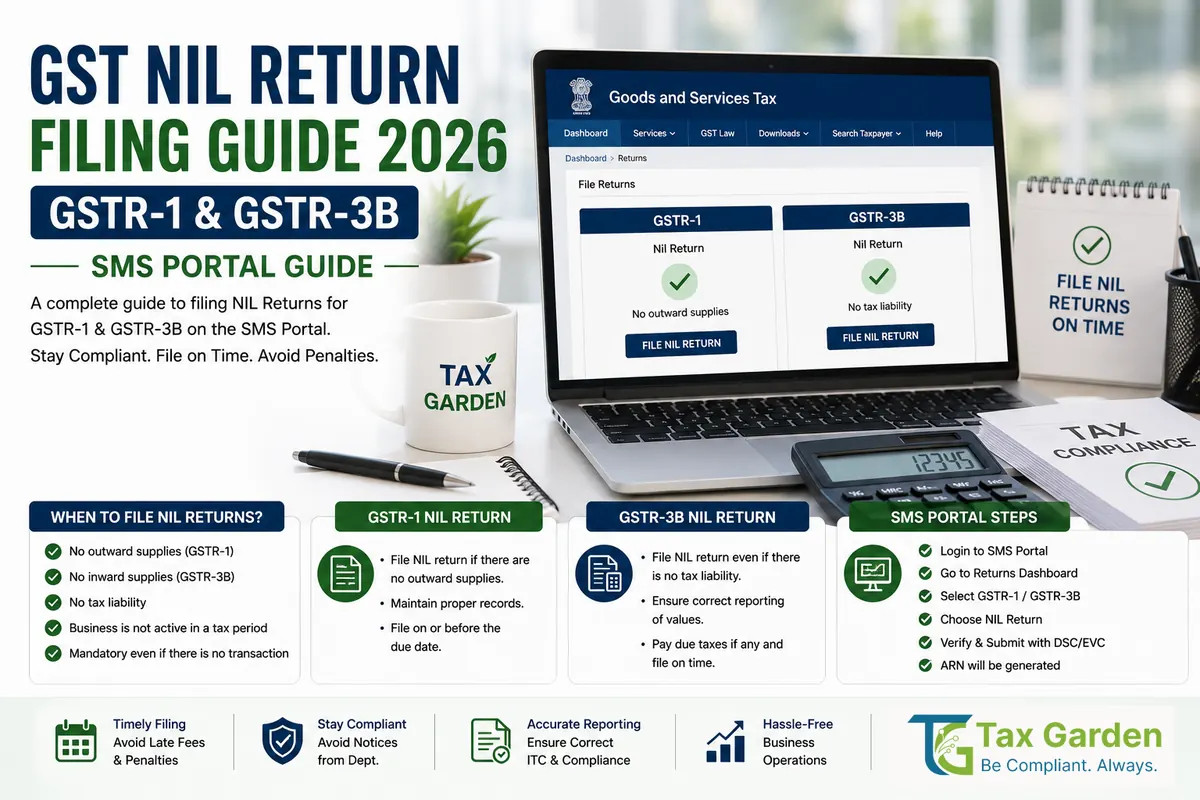
A nil return is a GSTR-1 or GSTR-3B filed for a tax period in which the registered person had nothing to report. A GSTR-3B is nil only if, for that period, there are:
- No outward supplies, including nil-rated, exempt and non-GST supplies
- No inward supplies liable to reverse charge
- No input tax credit (ITC) to claim
- No tax liability
A GSTR-1 is nil only if there are no invoices, debit or credit notes, advances, exports or exempt and nil-rated supplies to report. If you made only exempt sales, the return is not nil: report the exempt value in GSTR-1 Table 8 and GSTR-3B Table 3.1(c).
Filing is mandatory: every regular registered person must file GSTR-1 (Section 37) and GSTR-3B (Section 39 of the CGST Act) for each period, even with no activity, until the registration is cancelled.
Who Usually Files Nil Returns
- A new business that has registered but not yet started trading
- A seasonal business in its off-season months
- A business that has temporarily stopped operations but kept its registration
Why File Nil Returns?
Legal Requirement and Sequential Filing
- Sections 37(1) and 39(1) of the CGST Act require the returns for every tax period, with no exemption for periods without transactions.
- Monthly due dates: GSTR-1 by the 11th and GSTR-3B by the 20th of the next month. QRMP filers file GSTR-1 by the 13th of the month after the quarter and GSTR-3B by the 22nd or 24th, depending on the State.
- Under Sections 37(4) and 39(10), a GSTR-1 cannot be filed while an earlier GSTR-1 is pending, and a GSTR-3B cannot be filed while an earlier GSTR-3B, or the GSTR-1 of the same period, is pending. One skipped nil month blocks every later return.
Avoid Late Fees
- Nil GSTR-1: Rs 20 per day (Rs 10 CGST + Rs 10 SGST), capped at Rs 500 per return (Notification 20/2021-Central Tax)
- Nil GSTR-3B: Rs 20 per day (Rs 10 CGST + Rs 10 SGST), capped at Rs 500 per return (Notification 19/2021-Central Tax)
- Example: a nil GSTR-3B filed 10 days late costs Rs 200 (Rs 20 x 10). From 25 days late onward the fee stays at the Rs 500 cap.
- No interest arises on a nil return because there is no tax payable.
Keep Access to Other Facilities
- A refund can be withheld while the registered person has not furnished any return that is due (Section 54(10) of the CGST Act).
- You cannot opt into the QRMP scheme unless the last GSTR-3B that was due has been filed (Rule 61A of the CGST Rules).
The Three-Year Bar
Under Sections 37(5) and 39(11) of the CGST Act (inserted by the Finance Act 2023), a return cannot be filed after three years from its due date. GSTN began enforcing this from the July 2025 tax period. A nil return left unfiled for three years can no longer be filed at all.
Nil GSTR-1: Step-by-Step Portal Filing
Step 1: Log in to the GST Portal
- Go to gst.gov.in and click Login
- Enter your username, password and the captcha, and the OTP if the portal asks for it
Step 2: Open GSTR-1
- Go to Services > Returns > Returns Dashboard
- Select the financial year and the return period, for example FY 2026-27, July 2026
- In the GSTR-1 tile, click Prepare Online
Step 3: Check for Auto-Populated Data
- Invoices reported to the e-invoice portal (IRP) are auto-populated into GSTR-1
- If anything appears, the return is not nil: verify it and file a normal GSTR-1 instead
Step 4: File as Nil
- Tick the option to file a nil GSTR-1 and proceed to file
- Preview the summary and file with EVC (OTP) or DSC
Step 5: Save the Acknowledgment
- The portal generates an ARN (acknowledgment reference number), which is also sent by SMS and email
- The return status on the dashboard changes to Filed
Portal Filing Checklist
- Login credentials ready
- Correct GSTIN and tax period selected
- No invoices, notes, advances or exempt supplies for the period
- ARN saved
Nil GSTR-1 via SMS
A nil GSTR-1 can be filed by SMS to 14409 from the mobile number of an authorised signatory registered on the GST portal.
SMS Format:
NIL R1 [GSTIN] [Tax period in MMYYYY]
Example (July 2026):
NIL R1 27AABCT1234H1Z0 072026
How it works:
- The portal replies with a 6-digit verification code
- Reply
CNF R1 [Code]within 30 minutes - On successful validation, the ARN is sent by SMS and email; no portal login is needed
Quarterly (QRMP) filers: use the last month of the quarter as the tax period. For April to June 2026, send NIL R1 [GSTIN] 062026.
The SMS can be sent on or after the 1st of the month following the period (or quarter). It works only if nothing is saved in the online GSTR-1 for that period.
Nil GSTR-3B: Step-by-Step Portal Filing
GSTR-3B is the self-assessed summary return of tax liability and ITC.
Step 1: Log in and go to Services > Returns > Returns Dashboard.
Step 2: Select the financial year and period, for example July 2026, and click Prepare Online in the GSTR-3B tile.
Step 3: Answer "Yes" to the question asking whether you want to file a nil return.
Step 4: File with EVC (OTP) or DSC. Every GSTR-3B, including a nil one, must be verified this way.
Step 5: Save the ARN sent by SMS and email.
Nil GSTR-3B via SMS
Rule 67A of the CGST Rules allows a nil GSTR-3B to be filed by SMS.
SMS Format
NIL 3B [GSTIN] [Tax period in MMYYYY]
Example (July 2026):
NIL 3B 27AABCT1234H1Z0 072026
Send to: 14409, from the registered mobile of an authorised signatory
Confirm: reply CNF 3B [Code] with the 6-digit code received. The ARN follows by SMS and email.
Conditions: the period must be genuinely nil (no outward supplies, no reverse charge purchases, no ITC, no liability), all earlier GSTR-3B returns must be filed, and no data should be saved in the online GSTR-3B for that period. Quarterly filers use the last month of the quarter as the tax period.
Composition Dealers: Nil CMP-08
Composition taxpayers (aggregate turnover up to Rs 1.5 crore for goods suppliers and restaurants, Rs 75 lakh in certain special category States; Rs 50 lakh for service providers under Section 10(2A)) do not file GSTR-1 or GSTR-3B. They file:
- CMP-08: quarterly statement-cum-challan, due by the 18th of the month after the quarter (18 July, 18 October, 18 January, 18 April)
- GSTR-4: annual return, due by 30 June after the financial year (from FY 2024-25, Notification 12/2024-Central Tax)
Portal method: Services > Returns > Returns Dashboard, select the quarter, open CMP-08, choose the option to file a nil statement and file with EVC or DSC.
SMS Method (to 14409):
NIL C8 [GSTIN] [Tax period in MMYYYY]
Use the last month of the quarter, for example 062026 for April to June 2026, and confirm with CNF C8 [Code]. All earlier CMP-08 statements must be filed first.
Late fee: the GST portal's CMP-08 FAQ states that no late fee applies to a delayed CMP-08, but interest at 18% per year applies on any tax paid late. A late nil GSTR-4 attracts Rs 20 per day, capped at Rs 500 (Notification 21/2021-Central Tax).
QRMP Scheme (Quarterly Filers)
The Quarterly Return Monthly Payment (QRMP) scheme is open to taxpayers with aggregate turnover up to Rs 5 crore in the preceding financial year who opt for it (Notification 84/2020-Central Tax).
How Nil Filing Works Under QRMP
- GSTR-1 and GSTR-3B are filed quarterly, not monthly
- IFF is not a return: the Invoice Furnishing Facility for the first two months of a quarter is optional and is used only to upload B2B invoices. If a month has no invoices, nothing is uploaded and no nil IFF is needed.
- Monthly tax payment in PMT-06 (by the 25th) is not required for a month with no tax liability
- If the whole quarter had nothing to report, file nil GSTR-1 and nil GSTR-3B for the quarter
Consequences of Skipping Nil Returns
Late Fees Accumulate
- Each nil GSTR-1 and nil GSTR-3B filed late costs Rs 20 per day, up to Rs 500 per return
- Example: three months of nil returns left unfiled for more than 25 days each cost Rs 500 x 3 for GSTR-1 plus Rs 500 x 3 for GSTR-3B, that is Rs 3,000
Registration Risk: Section 29(2)(c)
The proper officer can cancel the registration of a regular taxpayer who has not furnished returns for a continuous tax period. Rule 21 of the CGST Rules sets this at six months for monthly filers and two tax periods (quarters) for quarterly filers, from 1 October 2022. For composition taxpayers, Section 29(2)(b) applies where the annual return is not furnished for more than three months after its due date.
How it works:
- Cancellation is not automatic: the officer first issues a show cause notice in Form REG-17
- After cancellation you cannot issue tax invoices or claim ITC
- Revocation can be applied for in Form REG-21 within 90 days of the cancellation order (extendable by up to 180 days by the Additional or Joint Commissioner), and only after all pending returns are filed (Rule 23)
Refund Held Up
If you need a refund (excess ITC on exports or an inverted duty structure), the refund can be withheld while any return is pending (Section 54(10)).
Notices
Non-filing shows up in the officer's records and usually leads to a notice under Section 46 (Form GSTR-3A) asking you to file within 15 days.
If you would rather not track nil filings every month, our managed GSTR-1 and GSTR-3B filing service files them for you, including months with no activity.
Compliance Checklist for Nil Returns
For a complete GST compliance guide covering registration, return filing deadlines, ITC rules, and avoiding all GST penalties, see The Ultimate GST Compliance Checklist for New Businesses.
Before Filing Nil Return:
- Confirm no sales, no exempt supplies, no reverse charge purchases and no ITC for the period
- Check the portal for auto-populated e-invoice data
- Verify the period (month or quarter)
- Ensure registration is active (not suspended or cancelled)
Filing (Choose One):
- Portal: GSTR-1 filed, then GSTR-3B filed, ARNs saved
- OR SMS to 14409 for each return, confirmed with the CNF code, ARN received
Post-Filing:
- Verify filing status in the Returns Dashboard
- Pay any late fee shown if filed after the due date
Annual Review:
- Verify all months or quarters of the FY are filed (no gaps)
- Note that GSTR-9 (annual return) is not required for aggregate turnover up to Rs 2 crore (Notification 15/2025-Central Tax); composition dealers file GSTR-4 instead
Sources
CGST Act 2017: Sections 29, 37, 39, 46, 47, 54(10); CGST Rules 21, 23, 61, 61A, 62, 67A; Notifications 19/2021, 20/2021 and 21/2021-Central Tax (late fees), 84/2020-Central Tax (QRMP), 12/2024-Central Tax (GSTR-4 due date); GSTN SMS filing FAQs on tutorial.gst.gov.in.